Tips
How to Photograph Your Pet for a Stunning AI Portrait
The single biggest factor in a great AI pet portrait is the photos you feed it. Here is exactly how to shoot them — in 10 minutes, with the phone in your pocket.
The short answer
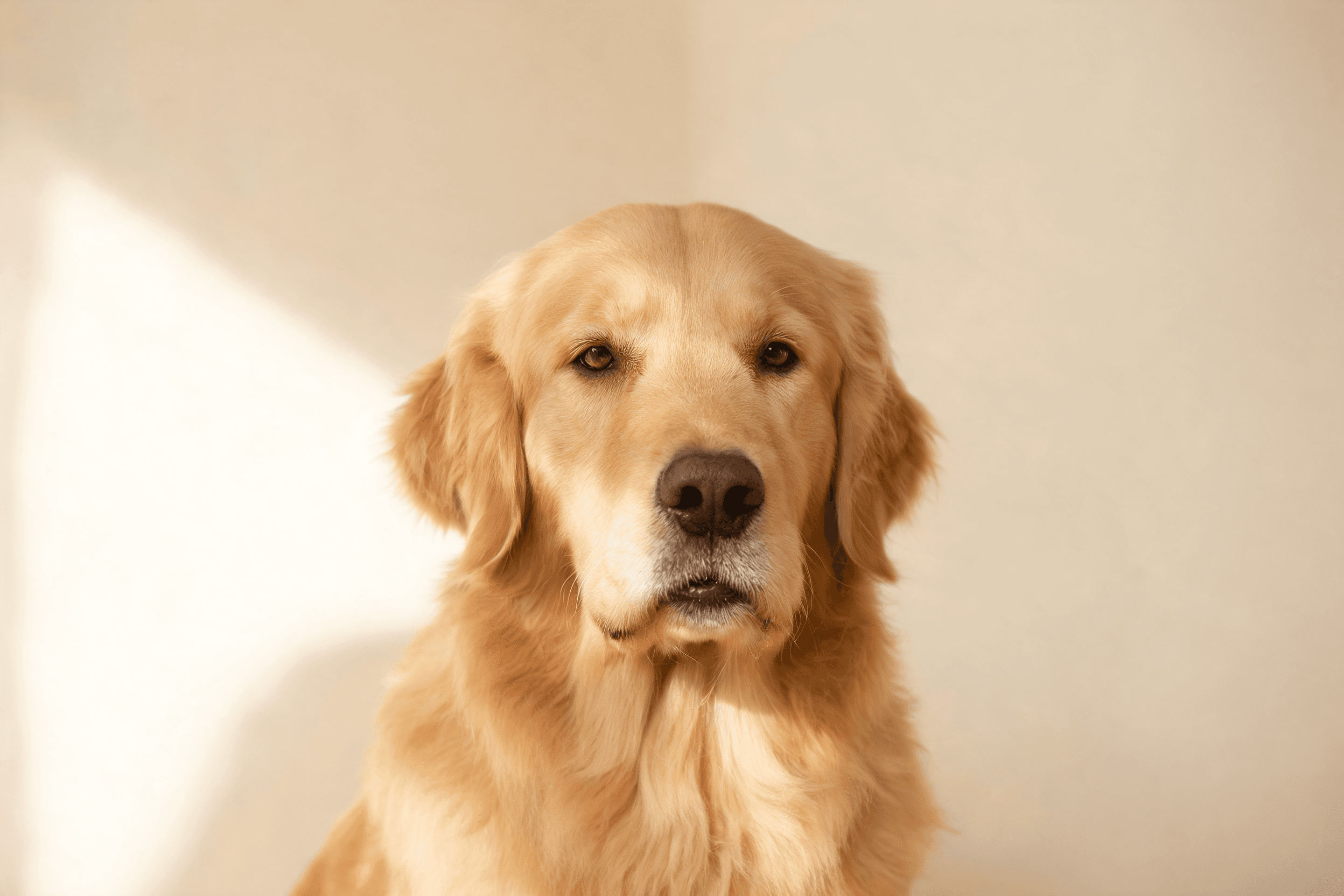
For the best AI pet portrait, upload around five clear photos of one pet taken in soft, even daylight: a mix of full-body and close-up shots, varied angles and expressions, with your pet’s whole face visible. Avoid blur, harsh shadows, costumes, and other animals or people in frame.
AI pet portraits live or die on their reference photos. The model can only paint what it can see — so a handful of sharp, varied photos beats one perfect headshot every time. The good news: your phone is more than enough. Here is the whole process.
How many photos do you need?
Aim for around five photos of the same pet — three at a minimum, up to ten. Modern AI needs only a handful to capture a face; what matters is variety. A clear front-on shot, a side profile and a couple of different angles beat ten near-identical ones.
Step by step: the 10-minute photo shoot
- 1.Find soft, even light. Shoot near a window or outside in open shade. Overcast days are perfect. Avoid direct midday sun, which creates harsh shadows across the face.
- 2.Get on their level. Crouch to your pet’s eye height. Eye-level shots read as portraits; top-down shots distort the face.
- 3.Fill the frame. Get close enough that your pet is the clear subject, but keep the whole head and face visible — no cropping off ears or chin.
- 4.Vary the angle. Capture straight-on, three-quarter, and gentle profile shots. Mix sitting, standing and lying down.
- 5.Capture expressions. Mouth open and relaxed, mouth closed, ears up, calm. Personality is what makes a portrait feel alive.
- 6.Take a few full-body shots. These help the AI understand proportions and coat, not just the face.
- 7.Review and cull. Delete anything blurry, dark, or where another pet or person sneaks into frame.
What to avoid
- Blur and motion — the number-one likeness killer. If a shot isn’t sharp, drop it.
- Harsh shadows or backlighting that hide the face.
- Hats, sunglasses or costumes — they obscure the features the AI needs to learn.
- Other pets or people in frame — the model can blend faces together.
- Heavy phone "beauty" filters — they smooth away the very details that make your pet yours.
- Shots where the pet is tiny or far away — fill the frame instead.
Pro tip: use treats and a second person
Have someone hold a treat just above the camera to get clean, forward-facing attention. A squeaky toy works for perked ears. Shoot in burst mode and keep the sharpest few.
Special cases
Black or very dark pets
Dark fur loses detail in low light. Shoot in bright, soft daylight and tap your phone screen on the face to expose for it, so features don’t disappear into a silhouette.
Long-haired or fluffy pets
Fur detail is where modern models shine in 2026. Brush them first and shoot in directional window light to bring out texture and the shape of the face beneath the floof.
Photos of a pet who has passed
You can only work with the photos you have, and that’s okay. Choose the clearest ones where the face is visible, even if they aren’t studio-perfect. See our pet memorial portrait guide for a gentler walkthrough.
Ready when your photos are
Upload your best five or so shots and we’ll paint a gallery of portraits in about 15 minutes.
Create my portraits — from $14.99Love them, or regenerate any portrait — free.
Frequently asked
How many photos do I need for an AI pet portrait?
Upload around five clear photos of the same pet (three to ten). Prioritise variety — different angles, distances and expressions in soft, even light — over taking many near-identical shots.
Can I use old or low-quality photos?
Yes, as long as the face is reasonably clear and sharp. Avoid blurry, very dark or heavily filtered images. A few good photos beat many poor ones.
Do phone photos work, or do I need a real camera?
Modern phone photos work perfectly. Good light and sharp focus matter far more than the camera. No professional gear is needed.
Should my pet be looking at the camera?
Some forward-facing shots help, but a mix is best: straight-on, three-quarter and profile angles give the AI a fuller understanding of your pet’s face.
Written by
Florian Chataignier — Founder, Puppy AI
Florian is the founder of Puppy AI. He has spent the last two years training and tuning the diffusion models behind tens of thousands of pet portraits, and writes about getting genuinely good art out of a phone camera roll.